Using Microsoft Power Apps and Logic Flows to Query Log Analytics

PowerApps with Logic Flow simplify the task of querying Azure Log Analytics.
This tutorial will show you how easy it is to create a PowerApps application and use Microsoft Power Apps and Logic Flows to query logs for better analysis.
The application does the following
–Queries Azure Log Analytics
– Generates a chart result.
– Sends an email with the visualization embedded.
Creating the application
The following figure shows the workflow steps.
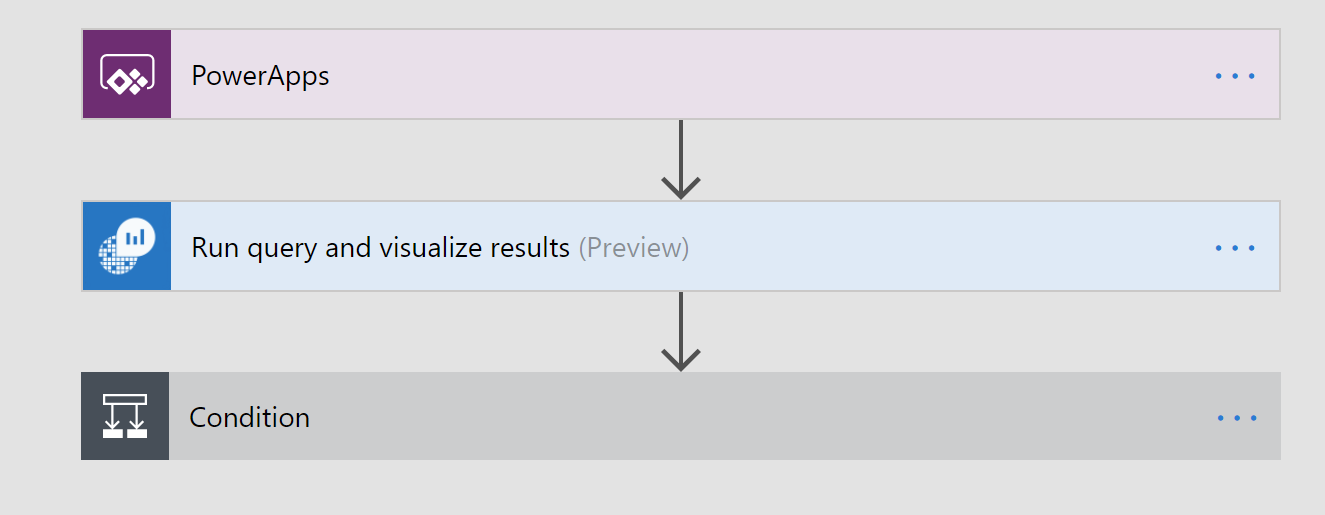
The steps to create the workflow are:
- Use a PowerApps button to start the process.
- Add the Azure Log Analytics action as shown below

A. Select Run Query and visualize results
Select the Html Table Chart Type as shown below.
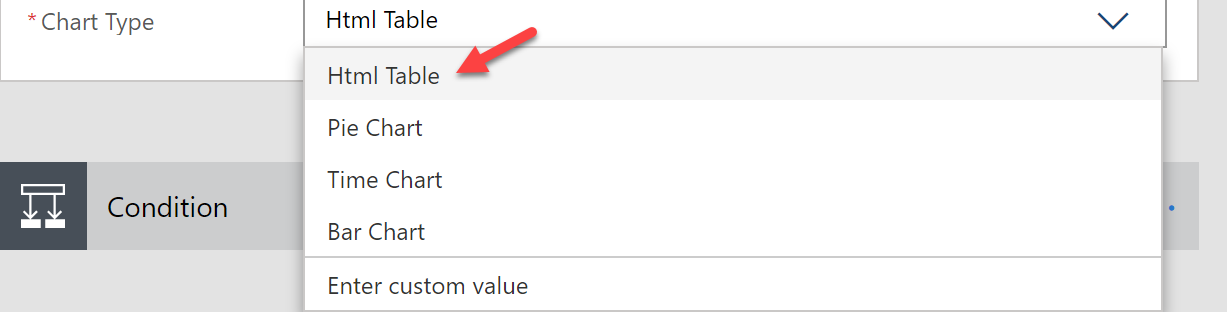
3. Add a Condition to validate that the records exist
@not(equals(length(body('Run_query_and_visualize_results')?['body']), 0))
A. if Yes then use the Office 365 action to send a email
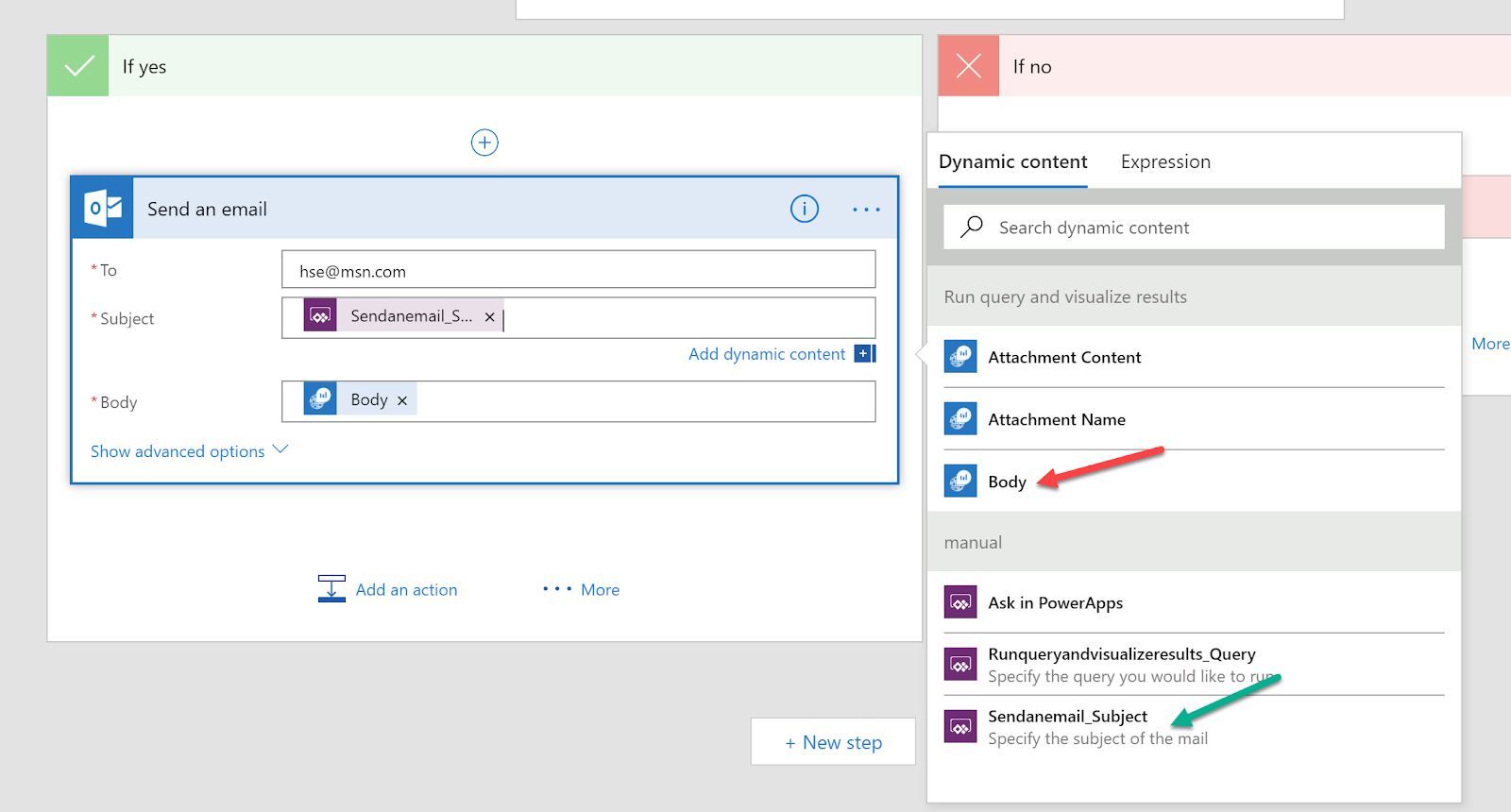
B. If No then add a Terminate action with a Cancelled value
4. Click Save.
{
"records":  [

{
"time":  "2018-02-02T18:21:52.7720997Z",
"resourceId":
"/SUBSCRIPTIONS/XXXXXXXXXXXXXXXXXXXXXXX/RESOURCEGROUPS/FHIR/PROVIDERS/MICROSOFT.DOCUMENTDB/DATAB

"category":  "DataPlaneRequests", "operationName":  "ReadFeed",
"properties":  {"activityId":  "4e22c5e3-3169-4e02-a6b5-84fd69284e28","requestResourceType": "Document","requestResourceId":  "jdUKAPpYJQA=","collectionRid":  "jdUKAPpYJQA=","statusCode": "304","duration":  "4092","userAgent":  "documentdb-dotnet-sdk/1.17.0  Host/64-bit MicrosoftWindowsNT/6.2.9200.0changefeed-0.2","clientIpAddress": "23.101.171.0","requestCharge":  "1.000","requestLength":  "0","responseLength": "0","resourceTokenUserRid":  "","region":  "Central  US","partitionId":  "6a6ca36b-7a1d-42b5-b866- 3e5eed09186e"}
}
,
{
"time":  "2018-02-02T18:22:54.2597286Z",
"resourceId": "/SUBSCRIPTIONS/XXXXXXXXX/RESOURCEGROUPS/FHIR/PROVIDERS/MICROSOFT.DOCUMENTDB/DATABASEACCOUNTS/FH

"category":  "DataPlaneRequests", "operationName":  "ReadFeed",
"properties":  {"activityId":  "8d2dc86b-e7dc-4727-bab2-b8d3986b298e","requestResourceType": "Document","requestResourceId":  "jdUKAPpYJQA=","collectionRid":  "jdUKAPpYJQA=","statusCode": "304","duration":  "3885","userAgent":  "documentdb-dotnet-sdk/1.17.0  Host/64-bit


MicrosoftWindowsNT/6.2.9200.0changefeed-0.2","clientIpAddress": "23.101.171.0","requestCharge":  "1.000","requestLength":  "0","responseLength": "0","resourceTokenUserRid":  "","region":  "Central  US","partitionId":  "6a6ca36b-7a1d-42b5-b866- 3e5eed09186e"}
}
,
{
"time":  "2018-02-02T18:24:06.0068309Z",
"resourceId": "/SUBSCRIPTIONS/XXXXXXXXX/RESOURCEGROUPS/FHIR/PROVIDERS/MICROSOFT.DOCUMENTDB/DATABASEACCOUNTS/FH

"category":  "DataPlaneRequests", "operationName":  "ReadFeed",
"properties":  {"activityId":  "cc5a0c11-a523-47c9-9a91-d0889cfae4b6","requestResourceType": "Document","requestResourceId":  "jdUKAPpYJQA=","collectionRid":  "jdUKAPpYJQA=","statusCode": "304","duration":  "4181","userAgent":  "documentdb-dotnet-sdk/1.17.0  Host/64-bit MicrosoftWindowsNT/6.2.9200.0changefeed-0.2","clientIpAddress": "23.101.171.0","requestCharge":  "1.000","requestLength":  "0","responseLength": "0","resourceTokenUserRid":  "","region":  "Central  US","partitionId":  "6a6ca36b-7a1d-42b5-b866- 3e5eed09186e"}
}
,
{
"time":  "2018-02-02T18:24:16.2453179Z",
"resourceId": "/SUBSCRIPTIONS/XXXXXXXXX/RESOURCEGROUPS/FHIR/PROVIDERS/MICROSOFT.DOCUMENTDB/DATABASEACCOUNTS/FH

"category":  "DataPlaneRequests", "operationName":  "ReadFeed",
"properties":  {"activityId":  "6f3249cb-d3e3-4756-872c-5de5f6b7a291","requestResourceType": "Document","requestResourceId":  "jdUKAPpYJQA=","collectionRid":  "jdUKAPpYJQA=","statusCode": "304","duration":  "2810","userAgent":  "documentdb-dotnet-sdk/1.17.0  Host/64-bit MicrosoftWindowsNT/6.2.9200.0changefeed-0.2","clientIpAddress": "23.101.171.0","requestCharge":  "1.000","requestLength":  "0","responseLength": "0","resourceTokenUserRid":  "","region":  "Central  US","partitionId":  "6a6ca36b-7a1d-42b5-b866- 3e5eed09186e"}
}
]
}
Testing our Workflow
1. Start by clicking Run now as shown below.
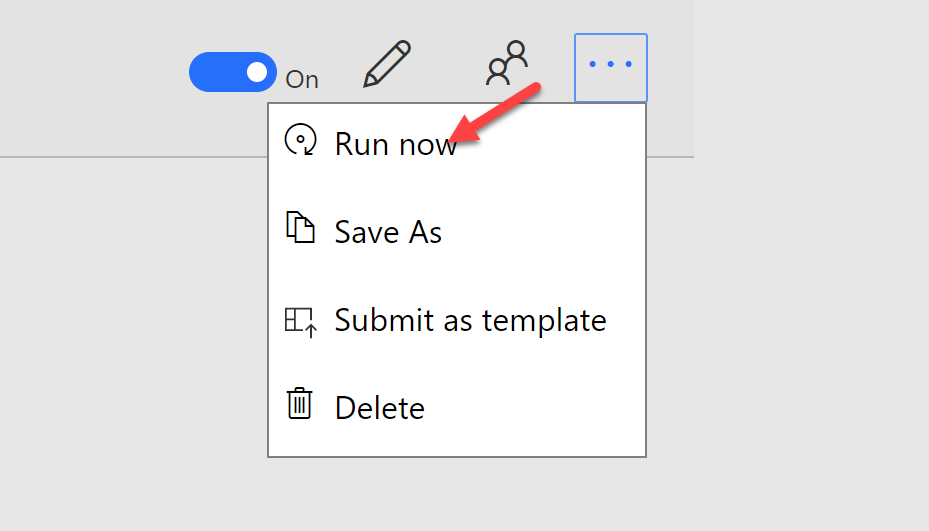
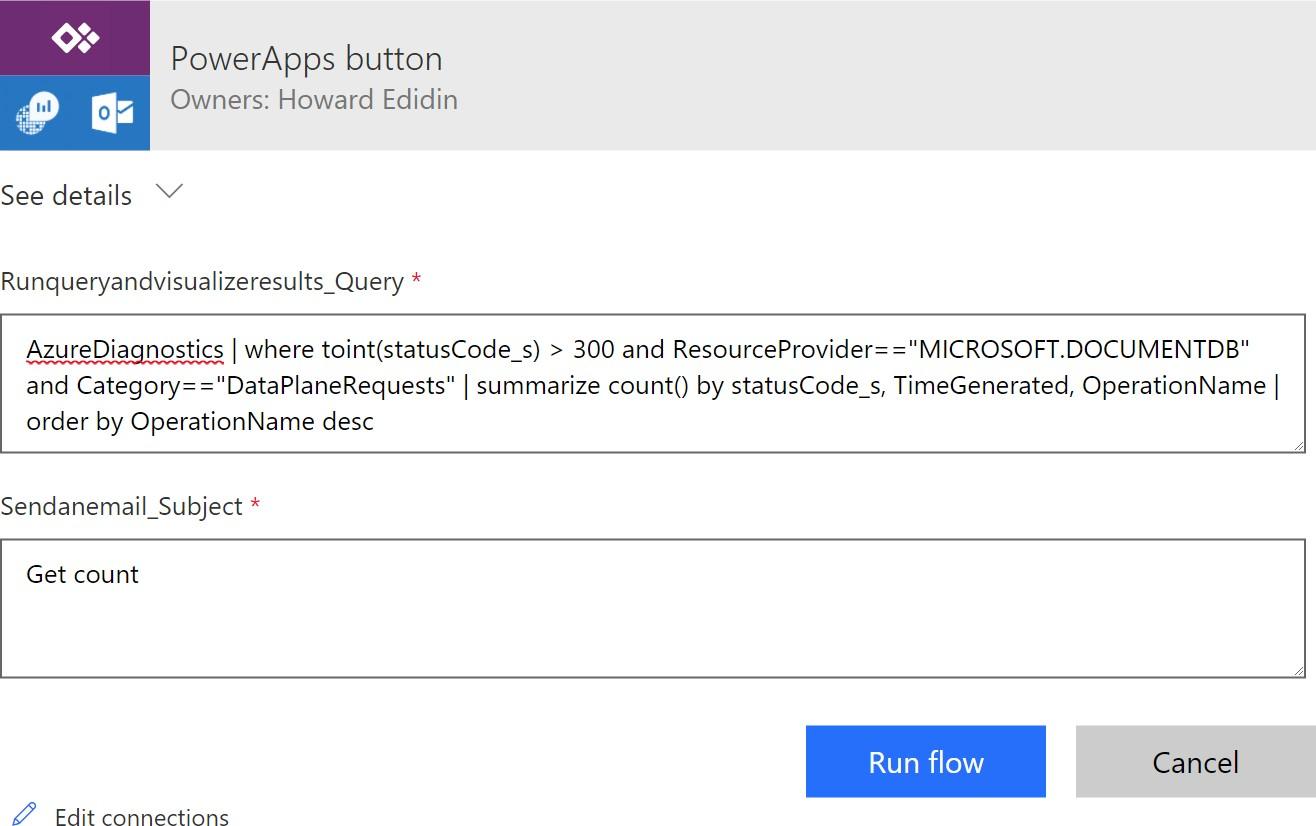
2. Enter our query and email subject as shown in the following figure.
INFO: You can read more about Log Analytics searches here
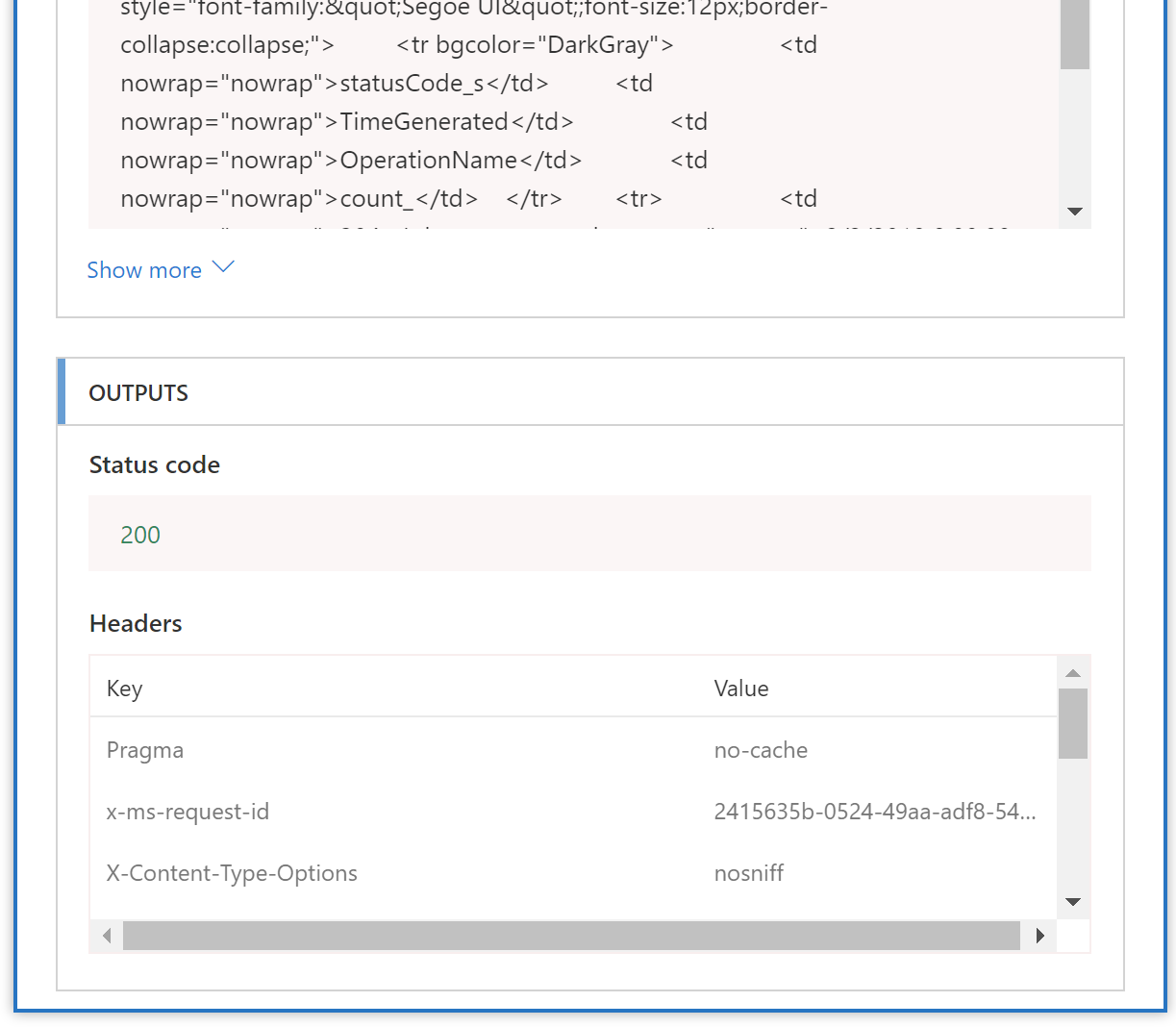
3. After clicking on Run flow, we can view the process results.
Checking our email, we can see the results.
OUTPUTS

Runqueryandvisua lizeresu Its_Query

AzureD iagnost ics I where to int(statusC ode_s) > 300 and ResourceProvider==" MICROSOFT.DOCU M ENTDB" and
Catego ry=="DataPlaneRequests " I su mmarize count () by statusCode_s ,
TimeGenerate d, Operation Name I order by OperationName desc
Monitoring our Workflow
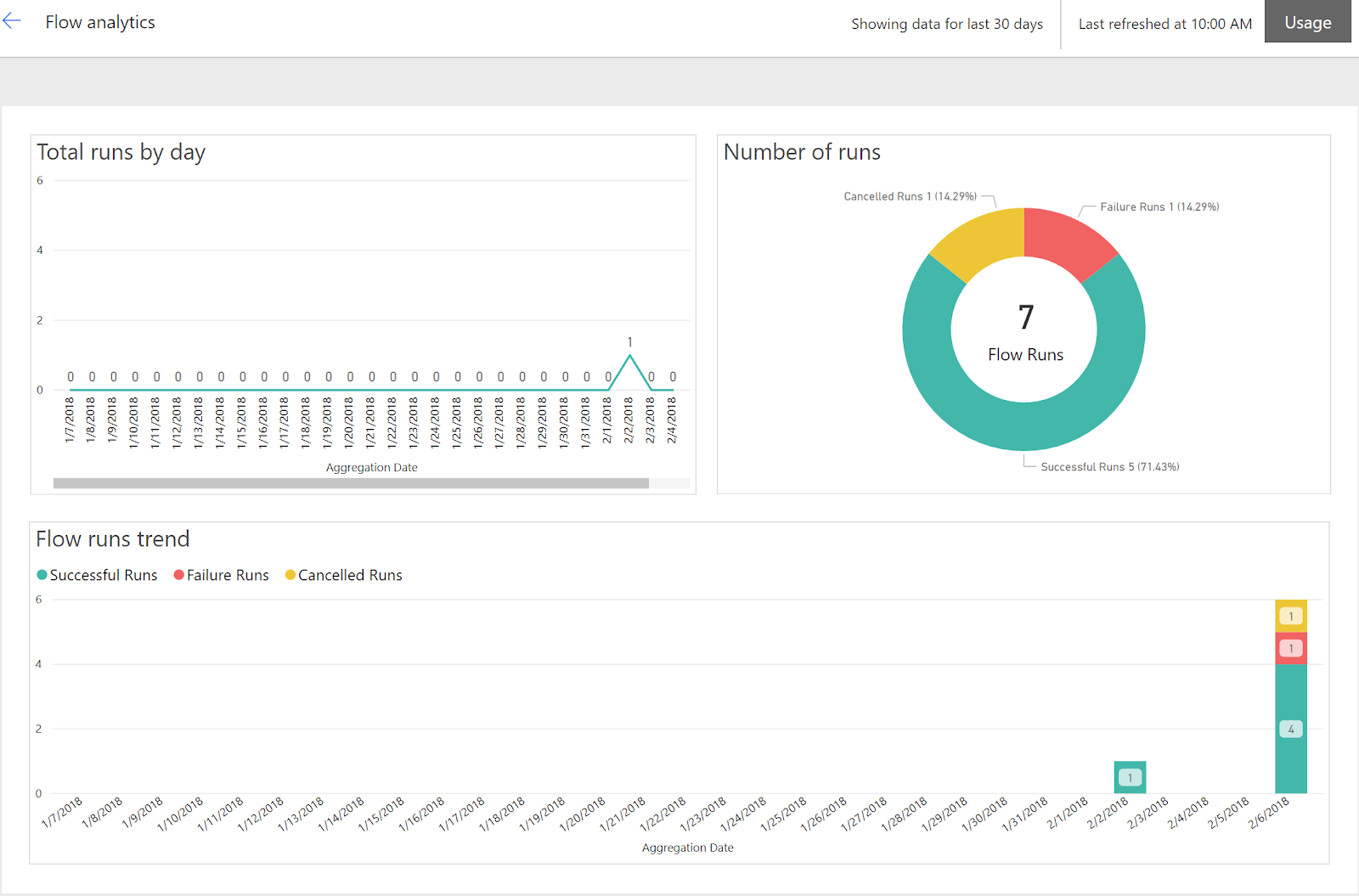
We can view the Flow Analytics as shown below.
Finally we can view our Flow administration

Summary
– You have seen how easy it is to create a Microsoft Power Apps with Logic Flows application
– You can create custom log searches.
– You can edit the flow to change the chart type
– You can extend the flow to add more actions.
– You can easily modify the data connections.
- You can ready more about Microsoft PowerApps/Flows here