
Modernizing Dynamics CRM doesn’t have to be disruptive!
We walk through your migration use cases & show how our accelerator supports a structured move to the cloud.
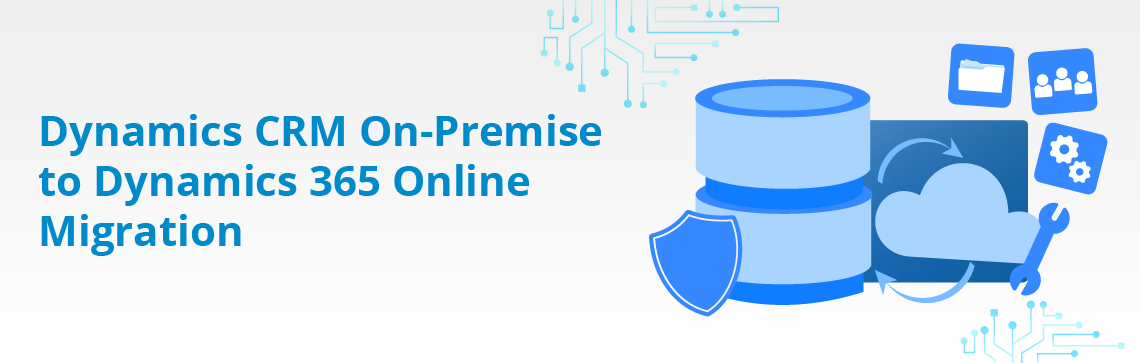
Still running Microsoft Dynamics CRM on-premises and dealing with aging infrastructure, complex integrations, end-of-support risks, and limited access to new capabilities? While legacy CRM systems may still function, they often hold organizations back when it comes to scalability, security, and innovation. Migrating from Dynamics CRM on-premises to Dynamics 365 Online can feel complex, especially when years of business-critical data, custom workflows, and integrations are involved. VNB’s Dynamics CRM On-Premises to Dynamics 365 Online Migration Accelerator offers a proven, structured way to modernize your CRM platform while preserving data integrity, custom functionality, and day-to-day operations, without turning the move to the cloud into a high-risk project.
VNB’s approach to Dynamics CRM on-premises to Dynamics 365 Online migration is built around experience, not assumptions. Instead of a lift-and-shift mindset, we follow a step-driven process that prepares data, transitions logic thoughtfully, and validates outcomes before moving fully to the cloud. This approach allows organizations to migrate their CRM environment with greater confidence and fewer surprises.
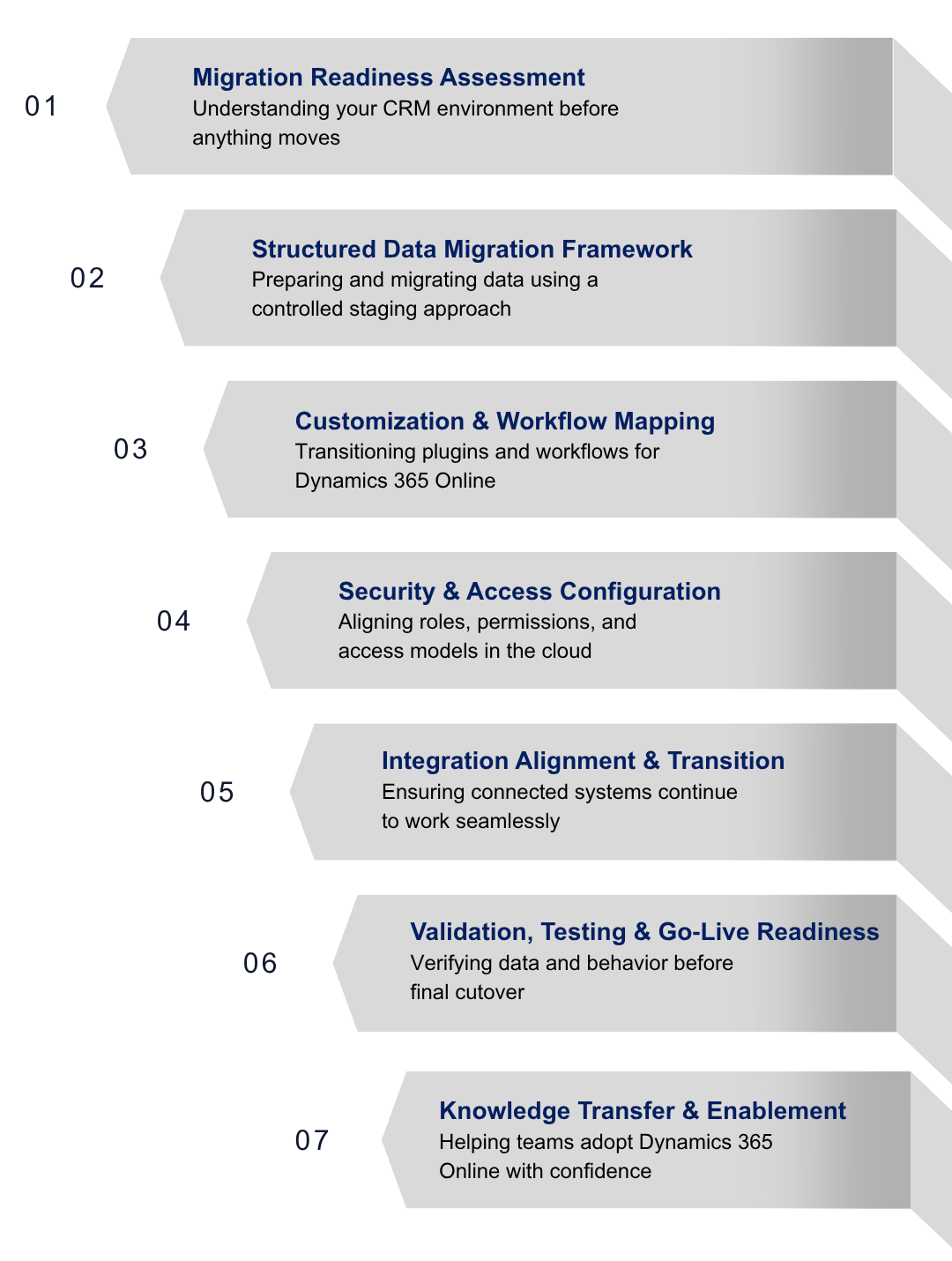
We start by thoroughly assessing your current Dynamics CRM on-premises environment, including CRM version, data volumes, customizations, integrations, and operational usage. As part of this assessment, we ensure that historic record details – such as timestamps for “created on” and “created by” – are retained exactly as they exist in the legacy system. This approach helps establish a clear and accurate baseline, eliminate assumptions, and ensures migration decisions are grounded in how the system works today while preserving important historical data.
The accelerator includes a structured data migration framework designed to move data from legacy Dynamics CRM to Dynamics 365 Online in a controlled and predictable manner. Data is prepared using a staging-based approach rather than manipulating the live production system directly. This approach focuses on preserving entity relationships, historical records, and data integrity while minimizing disruption during the migration process.
Legacy Dynamics CRM environments often rely on custom workflows, plugins, and entities built over many years. As part of the accelerator, existing customizations are reviewed and mapped to determine how they should function in Dynamics 365 Online. Where appropriate, legacy logic is adapted or modernized using cloud-friendly approaches – such as Power Automate – instead of copying on-premises behavior blindly.
To ensure continuity for users, the accelerator includes security and access configuration patterns aligned with Dynamics 365 Online. These help to map roles, permissions, and access models from the on-premises CRM environment to the cloud, while supporting governance, compliance, and user access post-migration.
Many Dynamics CRM on-premises environments rely on tightly coupled integrations with ERP systems, data warehouses, and line-of-business applications. The accelerator provides guidance to realign and reconfigure these integrations, so they function correctly with Dynamics 365 Online, reducing reliance on legacy infrastructure and unsupported connection methods.
Before final cutover, the accelerator includes structured testing and validation assets to verify data accuracy, system behavior, and critical business processes in the new Dynamics 365 Online environment. This step helps identify issues early and ensures the migrated CRM behaves as expected, reducing risk and surprises during go-live.
Beyond technical migration, the accelerator emphasizes enablement through targeted knowledge-transfer sessions. These sessions help teams understand Dynamics 365 Online features, differences from the on-premise CRM platform, and new operational best practices, supporting successful adoption and long-term use of the system.
Still running Microsoft Dynamics CRM on-premises and dealing with aging infrastructure, complex integrations, end-of-support risks, and limited access to new capabilities? While legacy CRM systems may still function, they often hold organizations back when it comes to scalability, security, and innovation. Migrating from Dynamics CRM on-premises to Dynamics 365 Online can feel complex, especially when years of business-critical data, custom workflows, and integrations are involved. VNB’s Dynamics CRM On-Premises to Dynamics 365 Online Migration Accelerator offers a proven, structured way to modernize your CRM platform while preserving data integrity, custom functionality, and day-to-day operations, without turning the move to the cloud into a high-risk project.
We start by thoroughly assessing your current Dynamics CRM on-premises environment, including CRM version, data volumes, customizations, integrations, and operational usage. As part of this assessment, we ensure that historic record details – such as timestamps for “created on” and “created by” – are retained exactly as they exist in the legacy system. This approach helps establish a clear and accurate baseline, eliminate assumptions, and ensures migration decisions are grounded in how the system works today while preserving important historical data.
The accelerator includes a structured data migration framework designed to move data from legacy Dynamics CRM to Dynamics 365 Online in a controlled and predictable manner. Data is prepared using a staging-based approach rather than manipulating the live production system directly. This approach focuses on preserving entity relationships, historical records, and data integrity while minimizing disruption during the migration process.
Legacy Dynamics CRM environments often rely on custom workflows, plugins, and entities built over many years. As part of the accelerator, existing customizations are reviewed and mapped to determine how they should function in Dynamics 365 Online. Where appropriate, legacy logic is adapted or modernized using cloud-friendly approaches – such as Power Automate – instead of copying on-premises behavior blindly.
To ensure continuity for users, the accelerator includes security and access configuration patterns aligned with Dynamics 365 Online. These help to map roles, permissions, and access models from the on-premises CRM environment to the cloud, while supporting governance, compliance, and user access post-migration.
Many Dynamics CRM on-premises environments rely on tightly coupled integrations with ERP systems, data warehouses, and line-of-business applications. The accelerator provides guidance to realign and reconfigure these integrations, so they function correctly with Dynamics 365 Online, reducing reliance on legacy infrastructure and unsupported connection methods.
Before final cutover, the accelerator includes structured testing and validation assets to verify data accuracy, system behavior, and critical business processes in the new Dynamics 365 Online environment. This step helps identify issues early and ensures the migrated CRM behaves as expected, reducing risk and surprises during go-live.
Beyond technical migration, the accelerator emphasizes enablement through targeted knowledge-transfer sessions. These sessions help teams understand Dynamics 365 Online features, differences from the on-premise CRM platform, and new operational best practices, supporting successful adoption and long-term use of the system.

We walk through your migration use cases & show how our accelerator supports a structured move to the cloud.